Most wifi routers come with default credentials.
-
If you know your wifi router brand: Visit our homepage to find the specific default IP, username, and password for brands like TP-Link, ASUS, or Xiaomi.
-
If you don't know the brand: Try common default IPs like 192.168.1.1, 192.168.0.1, or 192.168.31.1. Common usernames/passwords include admin/admin, admin/password, or leaving the password empty.
-
If credentials were changed: You can use the physical 'Reset' button on the router.
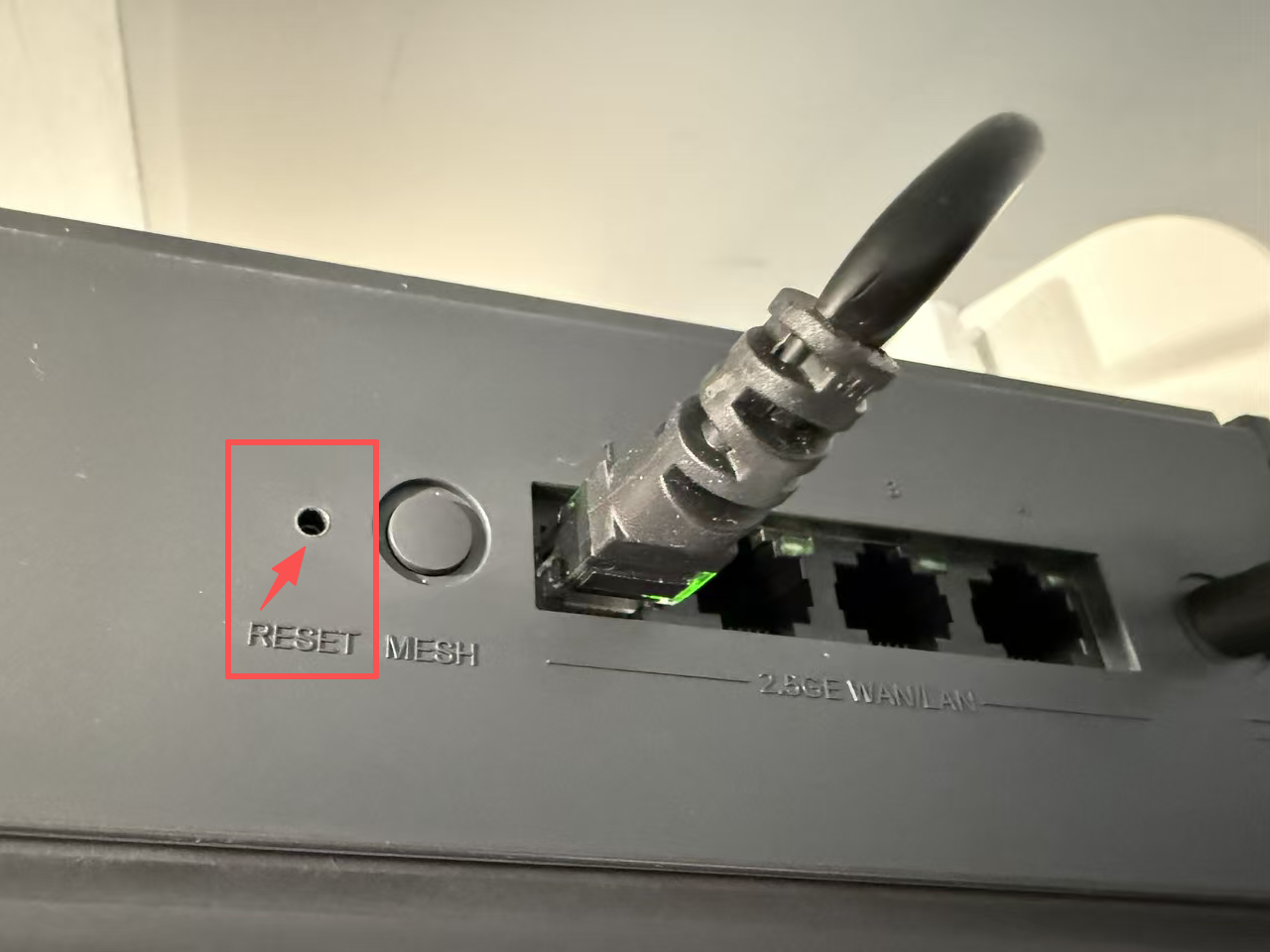
The small hole shown in the image above is the reset button. You usually need to insert a toothpick or a SIM pin to press it. Generally, pressing and holding for 3 to 5 seconds will reset the wifi router, but please refer to your product manual for specific instructions.
Note: After a successful reset, the wifi router's IP address (management login page), administrator username, and password will all be restored to their initial factory default values.
IMPORTANT: Make sure you have your ISP broadband account and password backed up before resetting, as all custom data will be cleared.